A branded progressive web app. It installs from a link, works offline, and updates the moment you change something — no submission, no review queue, nobody waiting on Apple. It is how most properties start, and for many it is the only version they ever need.
Inbox
Riverside · Floor
Shift change — Table GamesTonight 4:00 PM – 12:00 AM. Report to the pit 15 minutes early.
2m ago
Safety walk-throughCampaign · All departments
1h ago
Break-room hoursSurvey · 2 questions
Yesterday
Shift swap requestApproved · Marisol G.
Mon
Open enrollment reminderBenefits · Closes Friday
Tue
Campaign · All departments
Shift change tonight
Table Games floor starts at 4:00 PM. Report to the pit fifteen minutes early. Updated break schedule is attached — the 7:30 slot moved to 7:45.
If you cannot make the start, tell your supervisor before 2:00. Do not reply-all.
Read84 of 86
Push, on their phone
Campaigns with scheduling, targeting, and delivery tracking. The message lands on a personal device — the one they are already holding between tables.
An inbox, not a bulletin board
Campaigns, surveys, announcements, alerts. Read and unread. Searchable. Still there when wifi drops on the floor.
Your brand, not ours
Logo, colors, domain. Change it from the admin — no developers, no release train. Employees see the property — on the web app and on the one installed from the store. They never have to see EmployeeIQ.
How it ships →
Three ways onto their phone. You don’t have to pick one.
Most properties start with the web app: it is live in days and needs nobody’s approval. Some staff would simply rather tap an icon they installed from a store, and on a floor that turns out to matter more than it should. All of it comes off the same platform, so moving from one to the other is not a rebuild.
Install from a link Default
A branded progressive web app. Staff tap a link, a QR code, or a button in a text message and it is on their home screen. No store, no account, no download prompt.
Live in days. No submission, no review queue, nothing to appeal.
Changes ship instantly. Branding, content, campaigns and surveys from the admin.
Reaches everyone. Every employee with a phone browser, including the ones who would never install anything.
Works when the wifi doesn’t. Cached and usable on a bad connection.
Native iOS and Android Also available
The same app, built for the store and published privately to your property. Not a public listing — distributed to your own people, under your own name.
An icon, not a bookmark. Some people trust that more, and trust is what gets an app onto a phone and kept there.
Private distribution. Your employee app is not sitting in a public store for anyone to download.
One per property. Your name on it. Staff never see ours.
The same platform. Not a second product, not a second codebase.
The point isn’t which one. It’s that a dealer who will not install anything still gets the message, and one who would rather have the icon can have it. You are not picking a side, and you are not paying for two products.
And it is set per property. If yours would rather not put store-distributed apps on staff phones at all, they are switched off in setup and the web app carries on.
Reach →
Teams, campaigns, and surveys — without a second tool.
Leadership already lives in Microsoft Teams. The floor does not. EmployeeIQ writes to both, and tells you who actually saw it.
Microsoft Teams Integration
Send the same campaign to the channels leadership already uses. Rich content, attachments, engagement written back to EmployeeIQ over Graph.
Campaigns, not cork boards
Replace the cork board that is three days out of date. One message, one send — push, text, email and Teams together. Target it by department, location, union, or an audience you built this morning and will use again next week: define it once, and every campaign and survey to those people uses it. Export the audit trail.
Surveys they finish
One-tap questions, templates or your own branching. Properties see 40%+ response rates — not the 5% that lands in a forgotten inbox.
Operations →
The paperwork, without the paper.
The floor doesn’t just need to hear from you. It needs to request a shift swap, sign off on the revised policy, and find out when the mandatory meeting is — from the same app, on the same phone, without a trip to the office.
Forms and approvals
Time off, shift swaps, uniform requests, incident reports — built in the admin, submitted from the phone, routed to the right approver. Every decision recorded, every submission exportable to Excel. Starter forms come with the property; the rest you build without us.
Documents they actually acknowledged
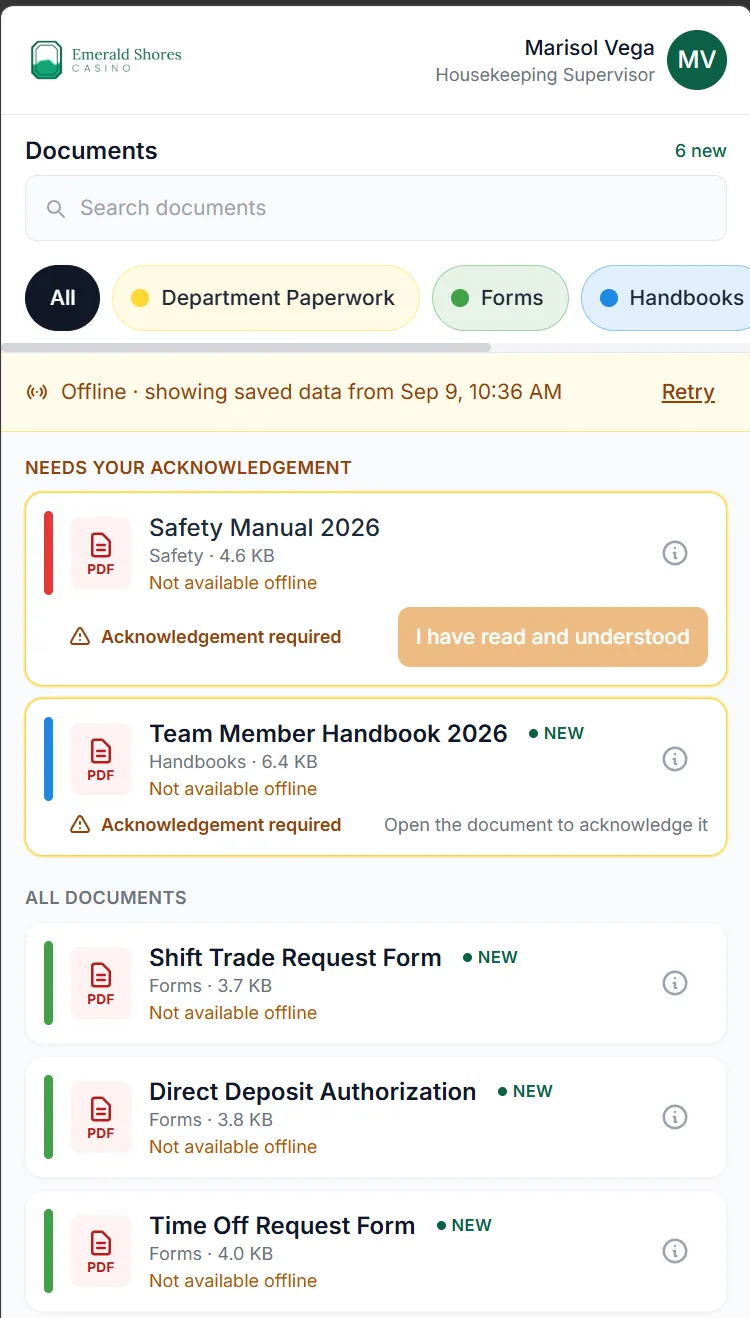
Policies, handbooks, safety notices — in categories, on the phone, marked unread until they are read. Acknowledgement is tracked per version, so when the policy changes, the acknowledgement resets and you know who has seen the new one, not the old one.
A calendar for the floor
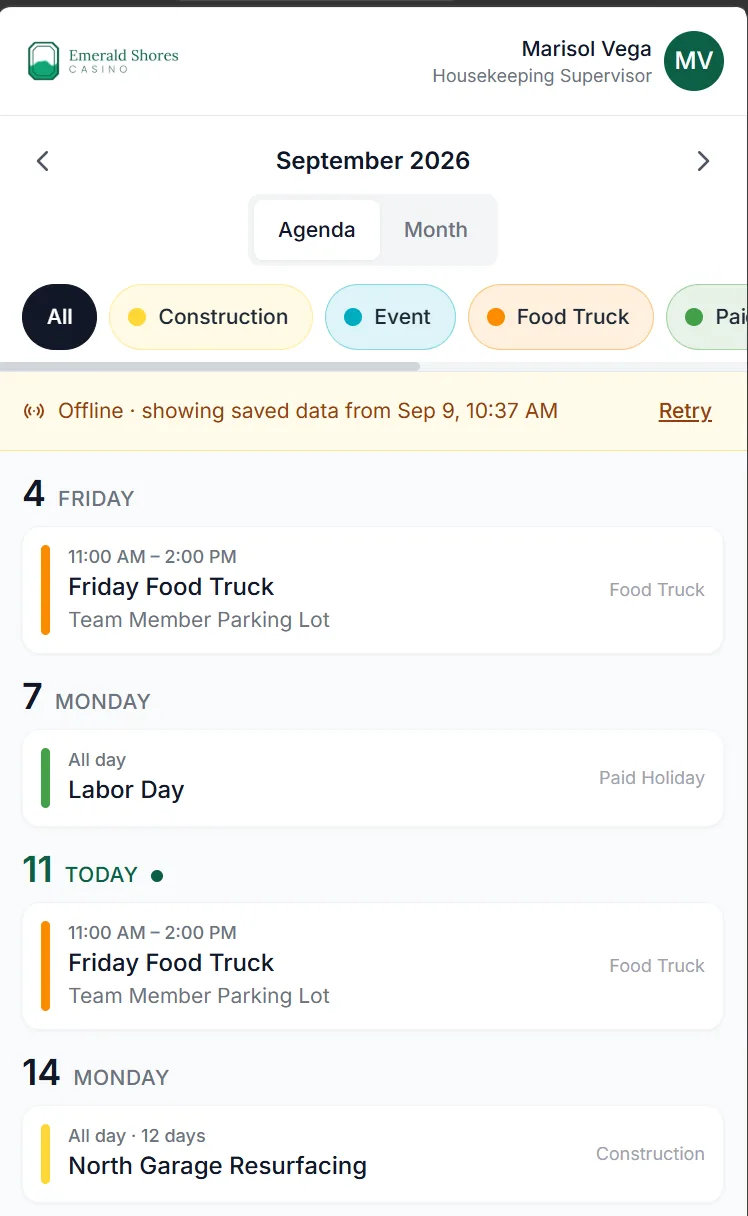
Meetings, training, all-hands, holiday schedules. Recurring or one-off, targeted to the audience that needs it, in the same app as everything else. The department that was never on the email invite is on this one.
Joiners and leavers, from the roster
Import from the roster you already keep. New hires are provisioned and activate their own account — from an emailed link, or from a code their manager hands them on shift for the ones with no email at all. Leavers are closed out. No IT ticket, no shared password on a sticky note.
Two documents waiting, and a record of everyone who hasn’t acknowledged them.
One calendar. Each department sees what’s theirs.
Job Fair →
Run the hiring event by text.
One QR code takes a candidate from the parking lot to a scored interview. No paper, no lines, no lost applicants. This is a product — not a feature of the app.